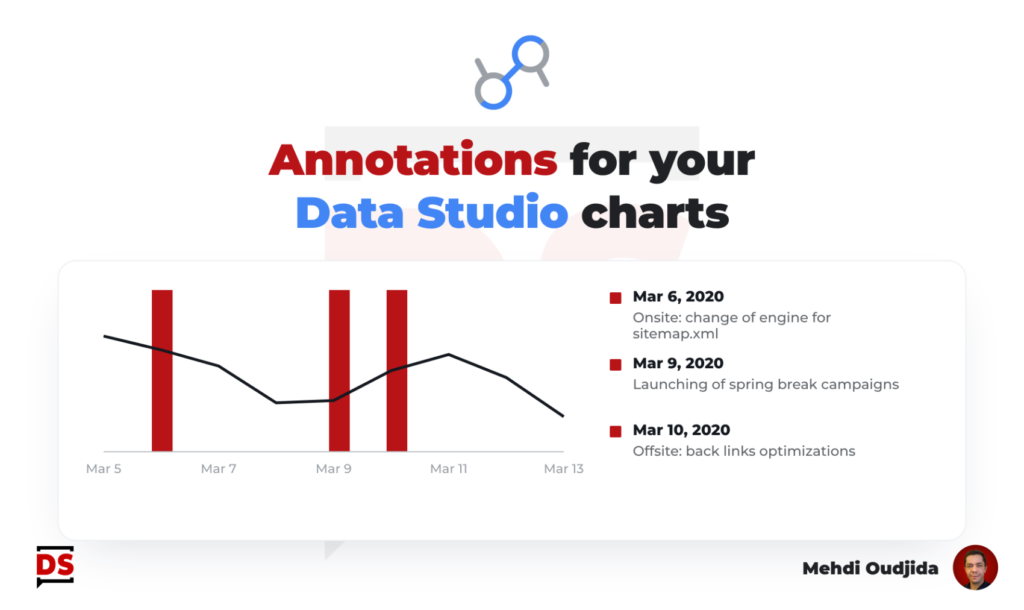
Marketers & website owners use to fill annotations inside Google Analytics Universal, adding temporal context to data with external events. Unfortunately, this feature is not available for the moment inside Google Analytics 4 and also inside a lot of tools of data collection.
In this article, I describe an annotations system for Data Studio reports (formerly known as Looker Studio) that I designed during the first COVID lockdown.
This feature is missing in GA4 but we can also consider that this device for data context should be external to our main data analytics collection device. After all, if we own a data warehouse storing and providing data from several sources, our annotations system for important life events information will not be dependent to a specific source but it should be cross-source & cross-functional?
October 20, 2022 – Edit
I designed this solution & wrote this article in April 2020 but refreshed it for the following reasons
- Data blending engine has been revamping
- Data Studio was rebranded to Looker Studio
- The user interface of Data Studio has changed a lot these last 2 years
Let’s build – inside our report – a dynamic Data Studio annotations system, giving dated context to our data, combining simple built-in features provided by our favorite data viz tool.
My example is based on Google Analytics data but, of course, we can apply exactly the same thing for other statistics and data.
Unlock free access to the full article
Access to this article written by Mehdi Oudjida, Data Studio Expert, is completely free: enter your email address to receive an access link to the full article.
Your email address is only used to send the link, and for the newsletter if you tick the box. It is not stored on this site.