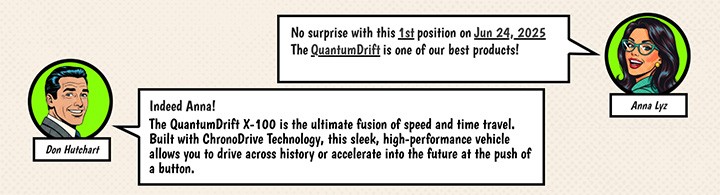
A few months ago I created a just-for-fun report that displays product ranking data and track the associated volatility. At that time I created two characters, Don Hutchart and Anna Lyz, whose role was to dynamically comment on the interactive report.
Gemini 3 capabilities
And with all the capabilities I’ve discovered these past few weeks on Gemini 3, I wondered how easy it might be to make Anna speak so she could verbally deliver the statistical insights instead of displaying them as text in a bubble.
After all, the ease of staging, media generation, and production in general brought by generative AI also opens up a whole range of possibilities in terms of format and reuse.
On the other hand, having the requirement to control generative AI’s involvement at each step of the data analytics process also means thinking about how to deliver messages and provide a form of storytelling in our absence, in a better way.
Wasn’t NotebookLM popularized thanks to its ability to create podcasts generated from more traditional documents?
Insight clips
In the same spirit, why not try creating “Insight clips” that feature a kind of oral and acted storytelling: a character or yourself, a graphic atmosphere, spoken insights with some engagement.
So I used Gemini Nano Banana to generate character thumbnails that matched the graphic environment created around the first report : Pop art & Seventies Comics book vibe for data about a Time Traveling Store. Then I asked Gemini Veo 3 to use them as references to generate short videos for me. Each video corresponded to a statistical insight spoken by the character…with numbers and dates of course!
Bingo, after an hour getting familiar with Google Veo 3.1 (prompting, generation mechanics, formats, boundaries of the playground), generating short videos was surprisingly easy.
Below just an example of a silent animation through a GIF format for Veo format. The sound are available in the full video at the end of this article.

Data presentation
All that was left was to import my insight clips into my PowerPoint presentation, already displaying Looker Studio charts (of course), one message per slide, so one clip per slide, and that was it. Powerpoint is a way more flexible as a presentation software for video integration, my first idea was to use Google Slides but my tests confirmed that it was not possible.
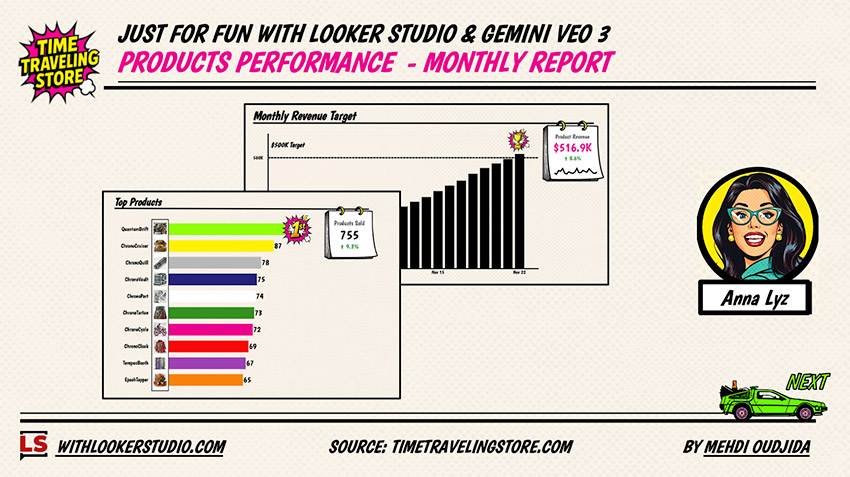
It’s only a POC and I don’t know if I’ll ever use this solution again for real cases. But if, like me, you love graphic 🎨 production and staging 🎥, it definitely makes you want to spend more time on this kind of work.
The videos
Here the final result, watch the video until the end for a small surprise 😉
Now a bonus with the French version of the presentation. Anna Lyz’s colleague, whose name is Don Hutchart, speaks very good French!
Here is exactly the same presentation, but this time with Don as the commentator for a French-speaking audience. Don struggles a bit with the pronunciation of numbers, and whenever there are English terms like “Quantum Drift,” he switches to a Quebec accent, but I have to admit he pleasantly surprised me overall. As a small anecdote, I had to work around this edge case by writing the product name as “cantome drifte” to avoid an overly strong accent 💡.
The clips were produced in exactly the same way as for the English version, and still with my little cameo at the end, just for fun, it’s definitely not my voice. 😂