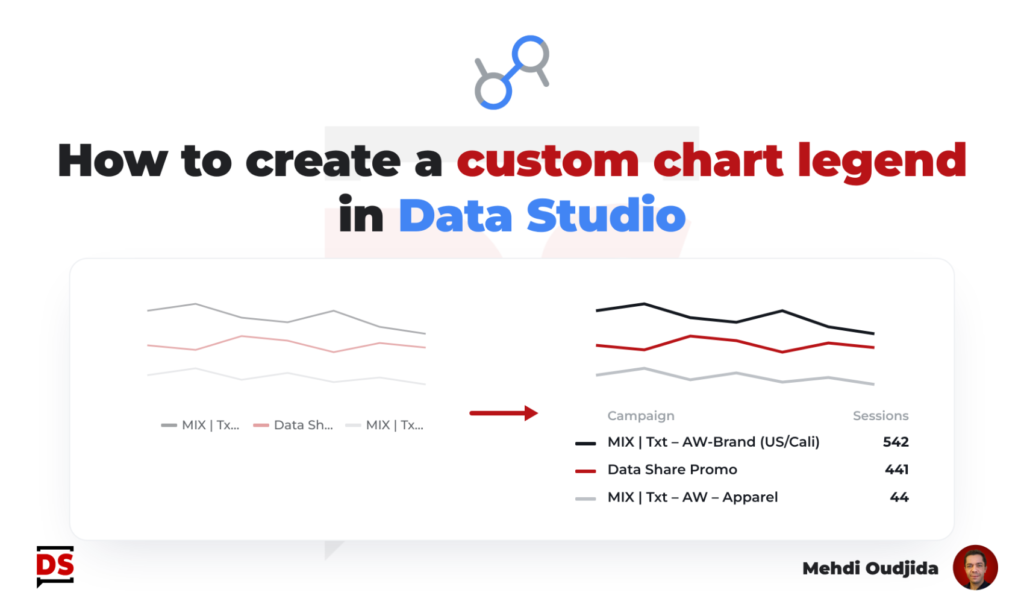
To fit to columns width in table charts or axis size, truncating long texts at the right – like proposed inside Data Studio – is not always the best visualisation solution for dimension values.
On the other hand, the Data Studio (formerly known as Looker Studio) built in option in the style tab of chart – turning off text wrapping – is not available for all chart types.
So, let’s create an home made solution to take care about our long text values. Let’s provide to report designers a new chart option to display the more relevant part of data of long text values on their charts. Let’s give also the possibility to control the number of characters we wish to keep visible.
Unlock free access to the full article
Access to this article written by Mehdi Oudjida, Data Studio Expert, is completely free: enter your email address to receive an access link to the full article.
Your email address is only used to send the link, and for the newsletter if you tick the box. It is not stored on this site.